Excel for your reports.
MySagra for your festival.
You can manage a food festival with Excel, but a spreadsheet alone cannot coordinate everything during service. Use MySagra for orders, tills and the kitchen. Keep Excel for analysing your results.
Your event data, ready for Excel.
Example dataMySagra exports order, dish and till statistics in one .xlsx workbook. Explore its three sheets below. Field names are shown in Italian, as in the supplied export.
Statistiche Ordini
Total revenue, cash and card revenue, order count and average completion time.
| Data/Ora | Ricavo Totale | Ricavo Contanti | Ricavo Carta | Ordini Totali | Tempo Medio Completamento (min) |
|---|---|---|---|---|---|
| 19/10/2026, 23:00:00 | 3.480,00 € | 2.080,00 € | 1.400,00 € | 180 | 12 |
| 20/10/2026, 23:00:00 | 4.320,00 € | 2.520,00 € | 1.800,00 € | 216 | 14 |
| TOTALE | 7.800,00 € | 4.600,00 € | 3.200,00 € | 396 | — |
Statistiche Pietanze
Dish names and quantities sold, to see what was ordered most.
| Nome | Quantità |
|---|---|
| Casoncelli | 160 |
| Polenta con formaggio | 130 |
| Panino con salamella | 96 |
Statistiche Casse
Total revenue, cash and card revenue for each till.
| Cassa | Ricavo Totale | Ricavo Contanti | Ricavo Carta |
|---|---|---|---|
| Cassa 1 | 4.100,00 € | 2.400,00 € | 1.700,00 € |
| Cassa 2 | 3.700,00 € | 2.200,00 € | 1.500,00 € |
| TOTALE | 7.800,00 € | 4.600,00 € | 3.200,00 € |
Scroll the table horizontally to read all columns.
Preview reconstructed from the columns of a MySagra export. All values are fictional examples, not the results of a real festival.
Excel is useful. But it isn’t a till or a kitchen.
A spreadsheet is a useful ally for budgets and analysis. The challenge starts when you need to follow orders while volunteers work at different stations.
| During the festival | With an Excel spreadsheet | With MySagra |
|---|---|---|
| Recording orders | You set up the sheet and enter data, keeping rows and formulas consistent. | MyCassa provides a dedicated interface for taking orders. |
| Coordinating stations | A spreadsheet alone does not send tickets to kitchen and bar printers. | MyStampa splits and prints tickets for the correct station. |
| Finding an order | You search through entries and piece together the details recorded. | Retrieve orders; for MyClienti orders you can also search by customer name. |
| Following results | Your figures depend on data updates and the formulas you have set up. | Check the live dashboard and export your data to Excel. |
Excel does not automatically cause errors. Manual steps, copies and coordinated updates can increase the risk of transcription mistakes or inconsistent data.
Fewer manual steps. More control over orders.
When the queue grows, volunteers need a tool designed for service, not a table to fill in.
- An interface for the till
- Take orders in MyCassa and find them in the system, without copying them into a separate spreadsheet.
- Order recovery and cancellation
- Find an order when you need it and manage its cancellation. If a MyClienti customer loses their code, search by name in MyCassa.
- Tickets to the right station
- MyStampa splits printed tickets between the kitchen, grill, bar or pizza station. MyNumeri displays ready order numbers to customers.
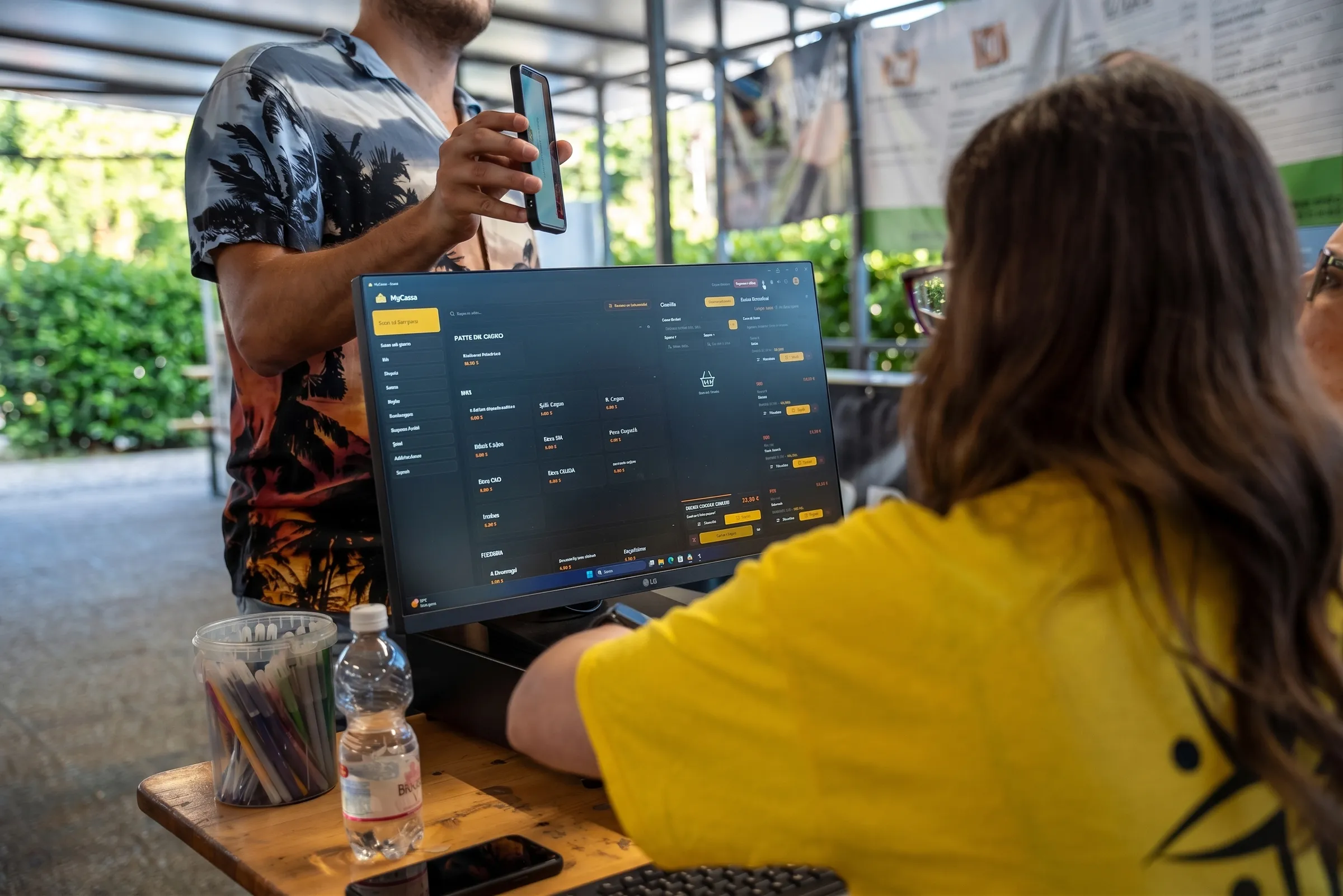
Keep Excel. Use it where it helps most.
MySagra handles event operations. Your spreadsheet remains the place to explore data, prepare a summary and share it with your association.
Run the evening
Take orders and coordinate stations with the apps connected to MySagra.
Follow the results
Check the dashboard while the festival is running.
Export and analyse
Bring order, dish and till reports into Excel for your analysis.
Festival management and Excel: your questions
Can I manage a food festival with Excel?
Yes. Excel can help with budgets, planning and analysis. During service, however, recording orders and coordinating tills, the kitchen and the bar requires manual steps or additional tools. MySagra is designed for these operational tasks.
Does MySagra replace Excel?
You do not need to give up Excel. MySagra manages orders and festival operations; export data to an .xlsx file and continue analysing it in your spreadsheet.
Which statistics can I export to Excel?
The report shown has three sheets: Statistiche Ordini, with total, cash and card revenue, total orders and average completion time; Statistiche Pietanze, with dish names and quantities; and Statistiche Casse, with total, cash and card revenue for each till.
Is the report connected to Excel in real time?
The export is an .xlsx file containing the exported data, not an Excel spreadsheet synchronised in real time. Use the MySagra dashboard to follow your festival during service.
How much does it cost to move from Excel to MySagra?
Managed cloud starts at €69 per week. Every plan includes all the apps in the MySagra ecosystem, including report export to Excel. Prices are indicative: your final cost is set in your quote.
Can I retrieve an order if a customer loses their code?
For orders submitted through MyClienti, search by customer name in MyCassa to retrieve the order without its code. Payment takes place at the till, not in the customer app.
The spreadsheet can wait. The queue can’t.
See how to run your next festival with MySagra and bring the figures into Excel, without copying orders after closing.