Explore the menu
Open the public MyClienti demo and see the app your festival visitors will use.
Try the demoMyClienti is MySagra’s web app for digital menus and online orders at festivals and community events. Customers browse the menu and order in their browser without registering. You customize dishes, photos and content in the MySagra admin panel and share the menu by link or QR code. Payment happens at the counter, not in the app.
Browse and order without registration. MyClienti is included in every MySagra plan. Choose your plan
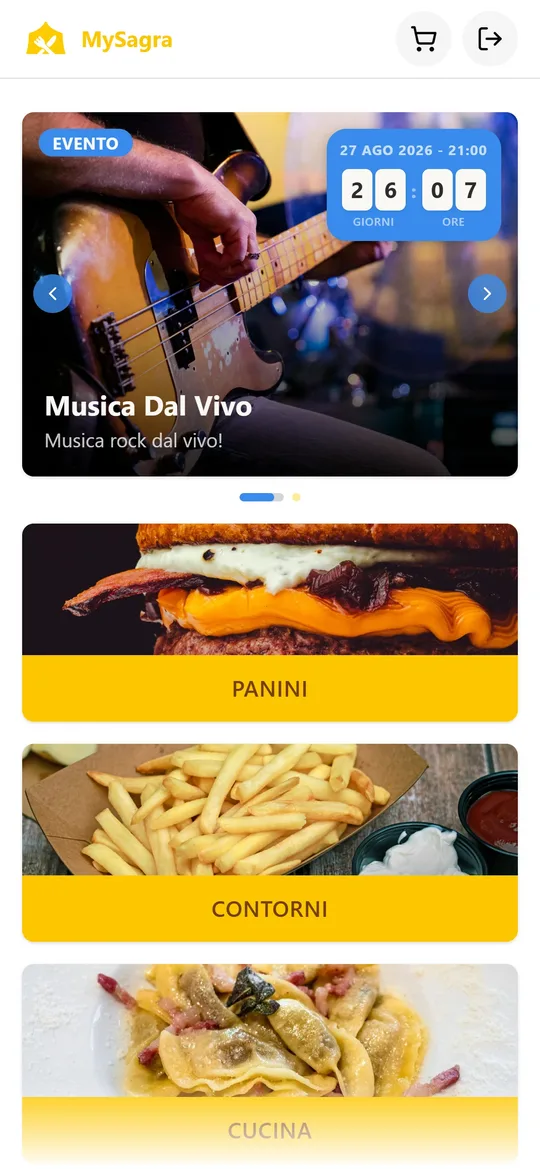
You know your food, your visitors and your festival. Use the MySagra admin panel to shape the experience you want to give your customers, without writing code.
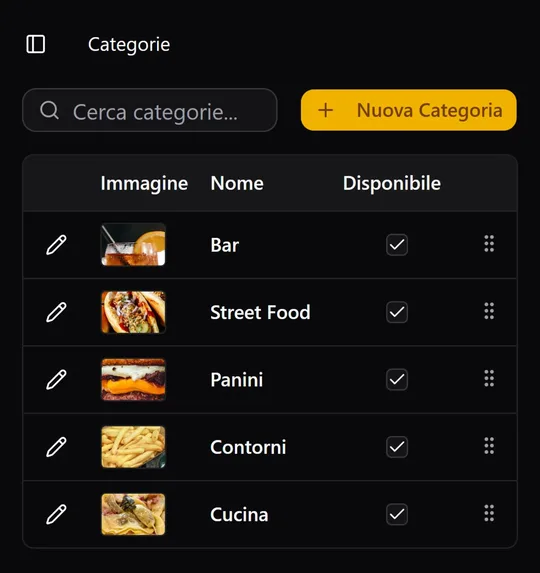
Orders synced in real time. All orders are shared across every app in the MySagra ecosystem, making work faster and simpler.
Explore the MySagra ecosystemShared menus and orders
Customers browse and order
Cashiers receive and manage orders
In MyCassa, you can retrieve an order by searching for the customer’s name, even if they no longer have the code. Find the order and complete payment at the counter.
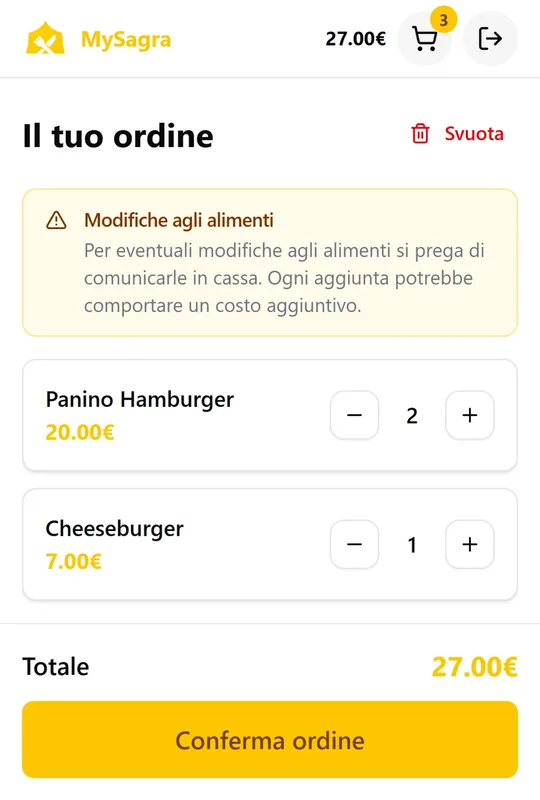
Customers choose dishes, review their cart and confirm their order on their phones. They receive a code to give at the counter when paying.
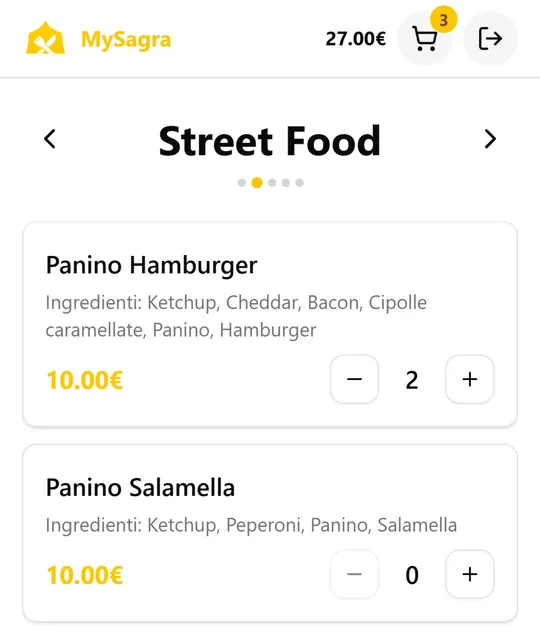
Browse descriptions and prices and add dishes to your cart.
Check quantities and the total before confirming your order.
Give your order code at the counter and complete payment.
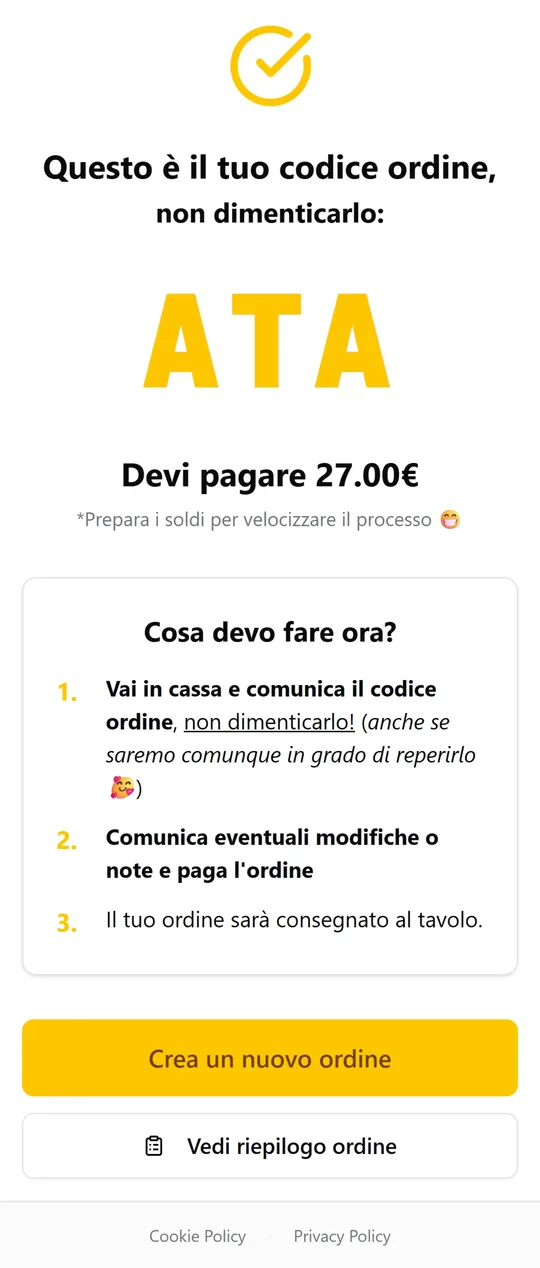
Demo screenshots: dishes, prices and instructions are examples. Empty space has been reduced to make the menu and cart easier to read.
The public demo shows the customer experience. Want to try configuring dishes, images and banners too? Request credentials for the management panel.
Open the public MyClienti demo and see the app your festival visitors will use.
Try the demoContact us for management software credentials. Customization happens in the MySagra admin panel, not in the public demo.
MyClienti is included in every MySagra plan. Compare cloud, on-site installation and self-hosting to choose how to run your festival.
MyClienti is the customer web app for festivals using MySagra. Visitors can browse the online menu on their phones. It also supports customer ordering, with payment at the counter.
No. With MyClienti, customers can browse the menu and submit orders in their phone’s browser without creating an account. Payment happens at the counter, not online.
No. MyClienti is a web app: customers open the menu link in their phone’s browser. They do not need to download an app to browse dishes, categories and descriptions.
Configure dishes, categories, photos and content in the MySagra admin panel. Use your MyClienti menu link as the destination of a QR code and share it on tables or festival materials. The QR code opens the menu in the browser, with no registration needed to browse it.
MyClienti is a web menu connected to the MySagra management system. Changes in the admin panel are reflected in the customer app, without exporting and uploading a new PDF. Beyond browsing, MyClienti supports phone ordering, with payment at the counter.
Use the MySagra admin panel to edit dishes, descriptions, categories, images, banners and customer instructions. To try the panel, request credentials through our contact form.
Yes. MyClienti uses data from the MySagra ecosystem: changes in the admin panel are reflected in the customer app menu. You do not need to maintain a separate online menu.
No. The public demo lets you explore the customer experience. To customize content, request separate access to the management panel.
Yes. MyClienti is included in every MySagra plan. Explore the available solutions or contact us to find the right fit for your festival.
Yes. MyClienti and MyCassa belong to the MySagra ecosystem: orders submitted from a phone are available at the counter in real time, without re-entering them. Payment happens at the counter.
In MyCassa, you can search for an order by customer name. You do not need the code to retrieve the order and complete payment at the counter.
No. Customers can browse the menu online and MyClienti supports phone ordering, but payment always happens at the counter.
Try MyClienti as a customer. When you are ready to build your own menu, we can help you access the panel.